





A cloud migration playbook is the plan a company follows to move its applications and data to AWS, Azure or Google Cloud: choose a strategy for each application, build a secure foundation, move workloads in small waves with a tested way back, then control the bill. It matters because the expensive failures (missed dependencies, unrehearsed cutovers, unowned spend) are planning failures, not technology ones.
What a migration gets you, and when it doesn’t pay
The benefits worth expecting
The dependable gains are operational. Capacity arrives in minutes, not after a procurement cycle, and managed databases and storage take patching, backups and failover off your team.
Resilience gets cheaper: running across availability zones, with backups in a second region, gives you disaster recovery without a second data centre. Model APIs, GPUs and data platforms also sit on the same network and identity system as your applications.
Lower cost is possible but not automatic. Respondents to Flexera’s latest State of the Cloud survey put wasted cloud spend at 29%, the first rise in five years, driven by growing AI workloads. Savings come from optimisation after the move, not from the move itself.
When to stay where you are
Steady workloads on paid-off hardware, run by a capable operations team, are often cheaper to keep in a data centre or colocation facility. Systems tied to specialised hardware, data that must stay in a country with no local cloud region, and software you are about to replace with SaaS are also poor candidates.
A move also needs an owner afterwards. If nobody can run cloud infrastructure, budget for training or outside help first.
The roadmap, phase by phase
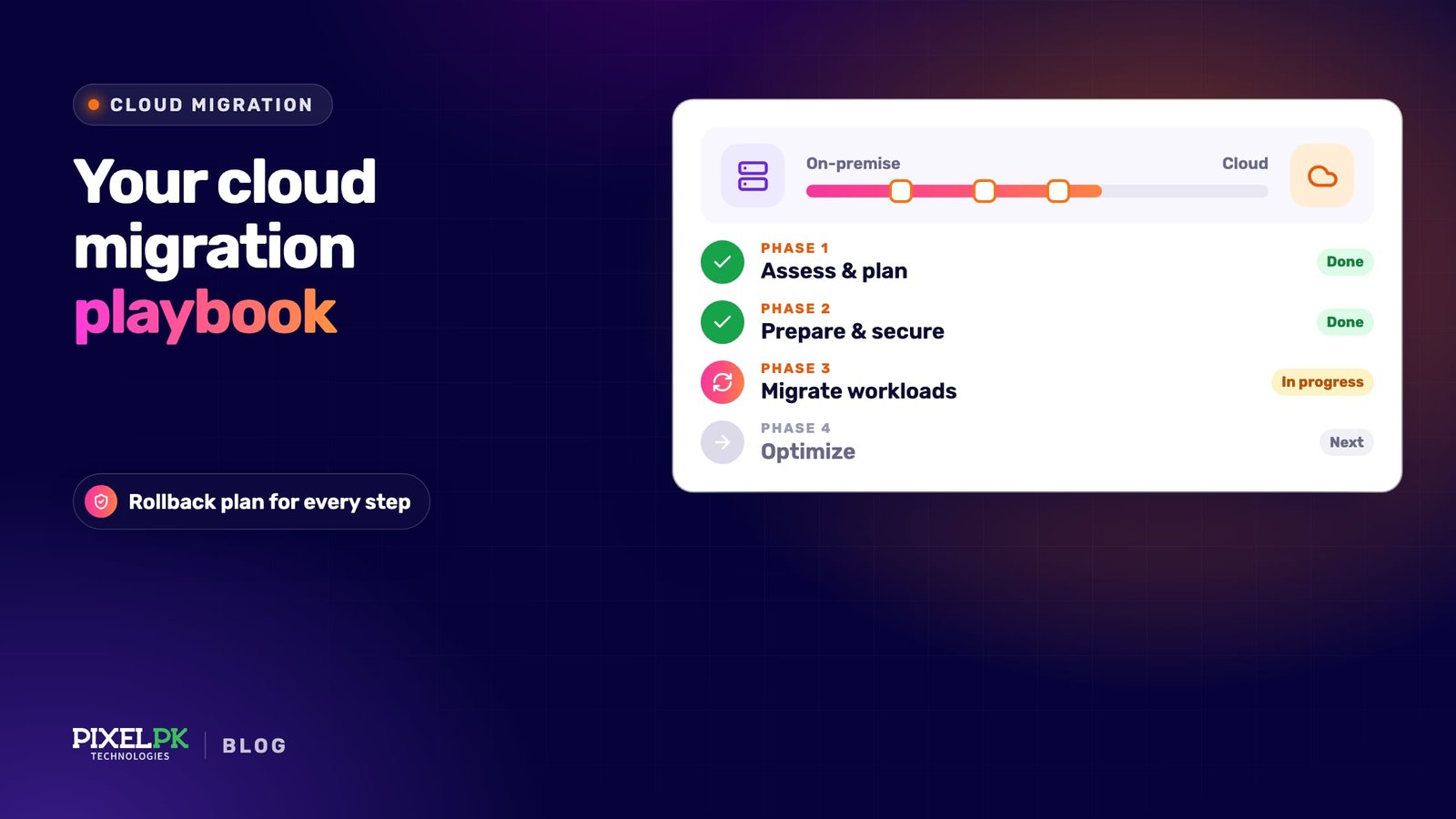
- Set goals and a baseline. Write down why you are moving, such as a lease ending or faster releases, and record today’s costs and performance.
- Discover and assess. Inventory servers, databases and integrations, map dependencies and pick a strategy per application.
- Build the landing zone. Set up accounts, identity, networking, logging and guardrails as code first.
- Run a pilot. Move one or two low-risk applications end to end, including a rehearsed cutover and a rollback test.
- Migrate in waves. Move groups of related applications on a steady cadence, refining one runbook.
- Optimise and decommission. Rightsize, modernise where there is a business case, and switch off old hardware and licences.
Choosing a strategy for each application: the 7 Rs
AWS Prescriptive Guidance groups migration choices into seven strategies, known as the 7 Rs. Azure and Google Cloud use the same ideas. Every application should leave assessment with one.
| Strategy | What it means | Fits when | Effort and risk |
|---|---|---|---|
| Retire | Switch it off and archive the data | Nobody uses it, or another system does the job | Lowest |
| Retain | Leave it where it is for now | Compliance limits, recent hardware spend, specialised hardware | Low now; revisit each planning cycle |
| Rehost | Move servers unchanged (“lift and shift”) | Deadline-driven exits, many standard servers | Low to medium; savings come later |
| Relocate | Move a virtualised platform, such as VMware, to its cloud-hosted version | Large VMware estates that must move quickly | Low; platform licence costs remain |
| Repurchase | Replace it with SaaS or a newer product | Commodity functions such as CRM, HR or email | Medium; data migration and retraining |
| Replatform | Move with targeted changes, such as a managed database or containers | You want operational wins without rewriting code | Medium |
| Refactor | Re-architect around cloud-native services | The current design blocks growth or delivery speed | Highest; run it as a separate programme |
AWS is blunt about the last row: refactoring during a large migration is the most complex and costly option, so rehost or replatform first and modernise once the application runs in the cloud. If an application genuinely needs re-architecting, plan it separately; our guide to moving from a monolith to microservices covers that work.
Legacy systems that don’t fit neatly
The same AWS guidance flags mainframes, mid-range systems such as IBM AS/400 and Oracle Solaris, and other non-x86 Unix applications as needing careful assessment. Most teams retain them at first, connected to the cloud over a private link or an API layer.
Later options are emulation or vendor-supported cloud hosting, replacement with a package, or rebuilding one function at a time behind that API layer (the strangler fig pattern). Check licence terms early: some vendors restrict licences on shared cloud hardware. Our guide to legacy system modernisation compares these routes.
Before anything moves: discovery and the landing zone
Discovery and assessment
Start with measured data, not what people remember. Azure Migrate and Google Cloud’s Migration Center collect inventory and utilisation. On AWS, Application Migration Service is now AWS Transform MGN, and AWS Transform’s agents can run discovery, wave planning, landing zone setup and network creation.
Collect several weeks of utilisation data, including month-end peaks, and map network dependencies. Then ask application owners about what tools miss: batch jobs, hard-coded IP addresses, shared drives and licence servers.
Use the data to retire what you can. AWS calls applications averaging below 5 percent CPU and memory use zombie applications; each one you switch off is a server you don’t have to move, secure or pay for. Treat agent-generated wave plans as a first draft; they don’t know your contracts or release calendar.
Landing zone, identity and security baseline
A landing zone is the governed environment your workloads move into. Microsoft describes it as a platform landing zone for shared governance, security and networking, plus workload landing zones where application teams deploy within those guardrails. AWS builds the same thing with Organizations and Control Tower; Google Cloud with its organisation, folder and project hierarchy.
Build it as code (Terraform or OpenTofu, Bicep or CloudFormation) and keep the baseline small but strict:
- Identity: single sign-on from one identity provider, MFA everywhere, no long-lived access keys, workload identity federation for pipelines, and monitored break-glass accounts.
- Network: hub-and-spoke, an IP plan that doesn’t overlap your offices, and private connectivity through VPN, Direct Connect, ExpressRoute or Cloud Interconnect.
- Security: audit logs in a separate locked-down account, encryption by default, policies blocking public storage and unapproved regions, and threat detection such as GuardDuty, Defender for Cloud or Security Command Center.
- Cost: mandatory tags for owner, application and environment, plus budgets and anomaly alerts from day one.
Moving workloads: waves, data and cutover
Planning migration waves
A wave is a group of applications that move together because they depend on each other. Keep chatty systems together so you never split a database from its application across a slow link. Start simple, and keep each wave small enough to reverse inside one maintenance window.
Moving the data
Data usually sets the timeline, so do the arithmetic early. Over a fully used 1 Gbps link, 10 TB takes about 22 hours, and real links rarely sustain full speed. For large volumes over thin links, offline options such as Azure Data Box, Google’s Transfer Appliance or AWS Data Transfer Terminal can be quicker.
For databases, use the providers’ database migration services or native replication with change data capture. The source stays live while changes stream across, so cutover only drains the last few seconds of changes. Validate with row counts and checksums, not by eye.
Cutover and rollback
- Lower DNS TTLs a few days ahead so the switch propagates quickly.
- Rehearse the full cutover in staging and time every step.
- Agree go/no-go thresholds in advance: error rate, latency and a business check such as orders placed.
- Freeze changes, stop writes on the source and confirm replication has caught up.
- Switch traffic, run smoke tests and watch the thresholds for the agreed period.
- If a threshold is breached, point traffic back at the source. Decide beforehand how writes made in the cloud get back, for example through reverse replication.
- Keep the source read-only for an agreed period, then decommission it.
Keeping the bill under control after the move
Cost control is a standing practice. The FinOps Foundation’s State of FinOps survey finds 98% of respondents now manage AI spend, up from 63% the year before. The job now reaches well beyond servers. The habits with the best return:
- Rightsize on real usage. Rehosted servers are usually sized for old hardware; resize after a few weeks of cloud metrics.
- Commit only to the baseline. Savings Plans, Azure reservations and Google committed use discounts cut rates for steady usage but lock you in for one or three years.
- Switch off idle resources. Stop development and test environments out of hours and tier old data to cheaper storage.
- Watch data transfer. Internet egress, cross-zone traffic and NAT gateway charges are common first-bill surprises.
- Track unit costs. Cost per customer or transaction shows whether growth is efficient.
- Finish the exit. Cancel hardware support, colocation and licences on the dates you planned, or dual running eats the savings.
Getting ready for AI workloads
If AI is a reason for moving, design for it in the landing zone. In Flexera’s survey, 53% of cloud leaders name security and compliance as their top challenge for cloud-based AI, with data quality for model training next at 40%.
GPU capacity
On-demand GPUs are not guaranteed, quotas start low and the newest accelerators exist only in some regions, so check availability and request quota early. For planned training or fine-tuning, reserve capacity: EC2 Capacity Blocks for ML hold up to 64 instances per block, can be booked up to eight weeks ahead and cannot be cancelled. Google Cloud’s Dynamic Workload Scheduler serves a similar purpose.
Many teams don’t need their own GPUs. If you call hosted models through Amazon Bedrock, Microsoft Foundry or Google’s Gemini Enterprise Agent Platform (formerly Vertex AI), you pay per token, and what matters is the endpoint’s region, quotas and data residency.
Data access for models and agents
Models and agents are only as useful as the data they can reach safely. Consolidate that data into a governed warehouse or lakehouse with a catalogue, named owners and access controls, rather than letting each AI project copy extracts.
AI agents typically reach that data through the Model Context Protocol (MCP). Google, for example, offers a managed remote MCP server for BigQuery, in preview, that authenticates through Google OAuth and IAM. Give agents narrowly scoped identities, log every tool call, and run evals and observability on agent behaviour before widening access.
A cloud migration checklist
- Goals, a cost and performance baseline and an executive owner are agreed.
- Every server, database and integration is inventoried with utilisation and dependency data.
- Each application has one of the 7 Rs, an owner and a wave; zombie applications are retired.
- The landing zone is built as code, with SSO, MFA, private connectivity, central logs, guardrails and tagging.
- Data transfer times are calculated and database replication is tested.
- A pilot has been cut over and rolled back at least once.
- Every wave has go/no-go thresholds, a written rollback plan and tested backups.
- Budgets, anomaly alerts and a rightsizing review date are set.
- Old hardware, licences and contracts have cancellation dates.
- GPU quota, region and data access are planned if AI is in scope.
How Pixelpk approaches this
Pixelpk Technologies is an AI and software development company founded in 2018, headquartered in Lahore, with offices in Malaysia, the UK, Australia, Saudi Arabia and the US. With 50+ people, we work as an Extended Team alongside your engineers, as a Managed Dedicated Team, or through Custom Solution Development for a scoped project.
The code and data work maps to our custom software and data engineering services. We also build and run our own AI products in production, including Pakistan LawBot, and our Ask Maududi project digitised Urdu books with Google Cloud Vision OCR and Gemini proofreading. If you are weighing a move, start with a free strategy call.
Frequently asked questions
How long does a cloud migration take?
It depends on the number of applications, how tangled their dependencies are, data volumes and the mix of strategies. A small estate rehosted in two or three waves can move in a few months. Estates with legacy platforms, large databases or refactoring often take a year or more. Discovery and a pilot give a more reliable timeline than any rule of thumb.
Which is cheapest: AWS, Azure or Google Cloud?
There is no general answer. Price gaps between providers are often smaller than the savings from rightsizing, commitments and switching off idle resources. Existing licences matter: Microsoft-heavy estates often save on Azure through Azure Hybrid Benefit. Price your own inventory in each provider’s calculator, including data transfer and support, and weigh your team’s skills too.
Is lift and shift a mistake?
Not by itself. AWS recommends rehosting or replatforming in large migrations and modernising afterwards, because changing hosting and architecture at once multiplies risk. The mistake is stopping there. Rehosted servers are usually oversized and miss managed-service benefits, so budget an optimisation phase after each wave and decide which applications deserve deeper modernisation.
What are the biggest risks in a cloud migration?
The common ones are undiscovered dependencies, unrehearsed cutovers and unmanaged costs. An undocumented batch job, a hard-coded IP address or a licence server left behind can break an application after cutover. Reduce the risk with measured dependency data, a pilot that includes a rollback, go/no-go thresholds for every wave, and budgets switched on before the first workload moves.
Do we need to migrate before we can use AI?
No. On-premises applications can call hosted models through provider APIs. Migration helps when AI needs your data: a governed cloud warehouse, identity-based access, MCP connections for agents and reserved GPU capacity are easier to run next to the data than across a data centre link. If AI is a driver, plan its data access, region and quotas into the landing zone.