





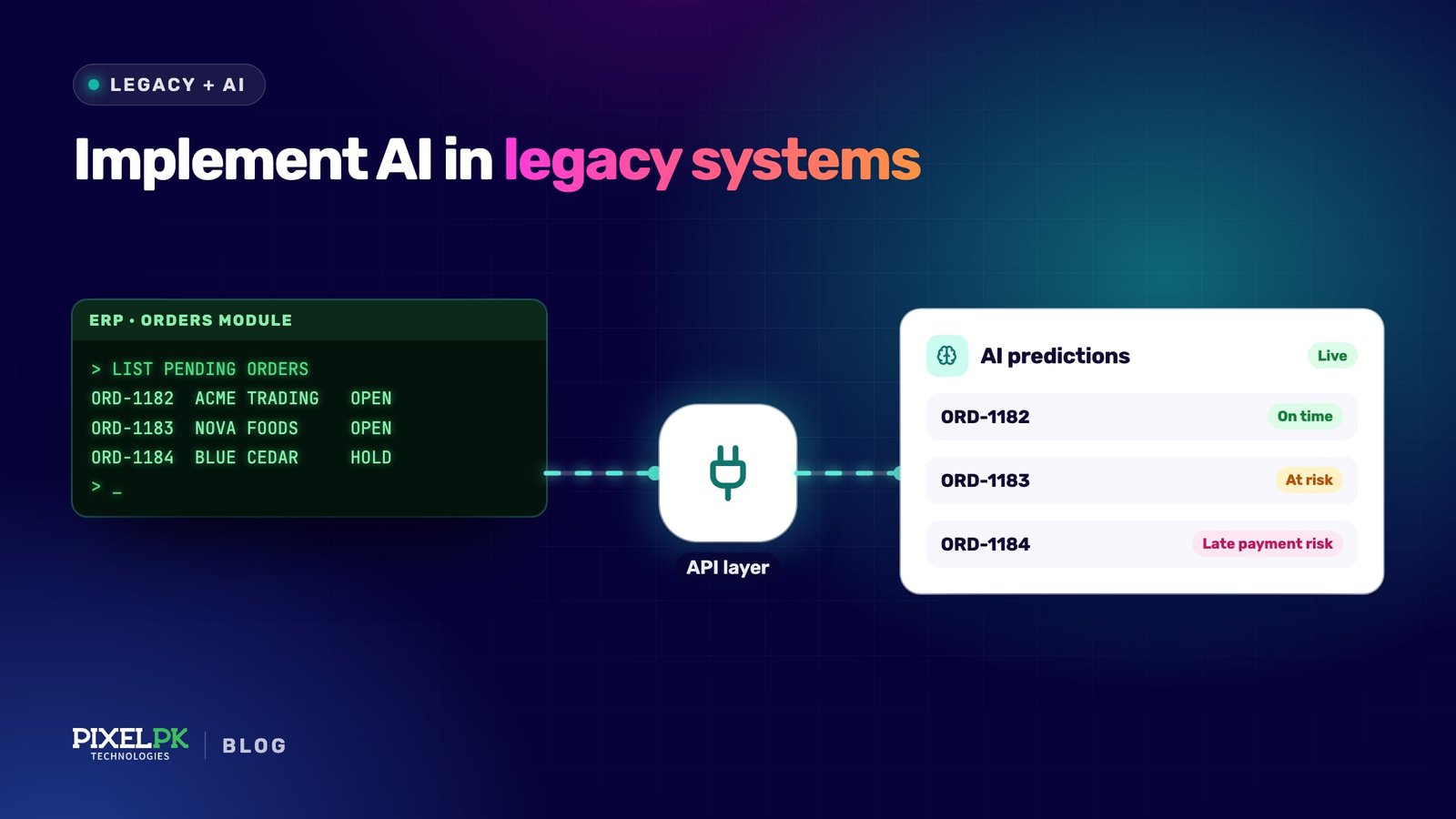
Adding AI to a legacy system means connecting models and agents to the software that already runs your business, through an API facade, a change-data stream, an MCP server, a computer-use agent or a batch job, so they can read its data and act on it without a rewrite. Done well, it delivers useful results in weeks and leaves the core system untouched.
What adding AI to a legacy system involves
A legacy system is any system that still carries the business but is hard to change: an ageing ERP, a COBOL batch on a mainframe, a monolith nobody wants to touch.
The US Government Accountability Office reports that federal agencies spend more than $100 billion a year on IT and typically about 80 percent of it on operating and maintaining existing systems. In the same review, eight of the 11 critical legacy systems examined use outdated languages.
AI integration covers two kinds of work. Predictive machine learning (forecasts, fraud scores, anomaly detection) needs clean historical data and a scoring step. Generative AI and agents, which summarise, draft, triage or carry out multi-step tasks, need live, permissioned access to data and actions.
A rewrite puts AI behind a long programme. An integration layer lets you test real use cases now while the old system stays the source of truth.
Five ways to connect AI to an existing system
The right pattern depends on what the legacy system exposes: an API, a database, files, or only a screen. Most teams end up combining two or three.
API facade
A thin, modern API sits in front of the old system and translates clean requests into whatever the legacy side needs, from SOAP calls to stored procedures. Microsoft calls this an anti-corruption layer and notes the trade-offs: added latency and another service to run. Use it when AI needs to take actions, such as creating an order, with business rules enforced in one place.
Event streams and change data capture
Change data capture (CDC) tools such as Debezium read the database’s own change log, such as MySQL’s binlog, and publish every insert, update and delete as an event, usually through Kafka. The legacy application does not change. Use it to keep a vector store fresh or to trigger an agent when something happens, such as a late shipment.
MCP servers for AI agents
The Model Context Protocol (MCP) is the open standard agents use to discover and call tools. An MCP server wraps your facade or a read replica in a few named, described tools, such as get_customer_orders. The MCP project lists support in ChatGPT, Claude, Cursor, Gemini, Microsoft Copilot and VS Code, under Linux Foundation governance, which limits lock-in to one AI vendor.
MCP sits on top of the facade rather than replacing it. Remote servers can use the MCP authorisation spec, built on OAuth 2.1, so each call can carry the end user’s identity instead of a shared service account.
Computer-use agents where there is no API
Some systems only have a screen: a green-screen terminal, a desktop app, a supplier portal. Computer-use models from Anthropic, OpenAI and others operate them like a person, through screenshots, mouse and keyboard.
Anthropic’s computer use documentation recommends a dedicated virtual machine with minimal privileges and human confirmation for consequential actions, and notes that each screenshot costs roughly 1,000–1,800 input tokens. Treat it as a bridge for low-volume tasks: a UI change can break it overnight.
Batch jobs
A scheduled export lands in a warehouse or object store; models score, classify, summarise or embed it; results go back through a file import or the facade. It is cheap and easy to rerun and audit, but results are hours old.
| Pattern | Best for | Legacy system must offer | Freshness | Main risk | Effort |
|---|---|---|---|---|---|
| API facade | AI actions under business rules | A callable interface or stored procedures | Real time | Facade grows into a second monolith | Medium |
| CDC / event streams | Search indexes, vector stores, event-triggered agents | A database with an accessible change log | Seconds | Schema changes break consumers; sensitive fields leak | Medium |
| MCP server | Agents that read and act across systems | A facade, API or read replica to wrap | Real time | Over-broad tools; prompt injection driving actions | Low, given a facade |
| Computer-use agent | Screen-only systems | A screen and a dedicated account | Real time, but slow | Breaks when the UI changes | Low to start, high to maintain |
| Batch job | Scoring, classification, enrichment | A scheduled export or file drop | Hours | Stale results; silent failures | Low |
Getting the data ready
Most of the effort in legacy AI work is data work, not model work. Before choosing models, find out where the data lives, who owns it, what the fields mean and who may see what.
- Inventory the sources. List the tables, files and screens the use case needs, with an owner for each. Legacy schemas often hide meaning in code, such as a status of 7 meaning “on hold pending credit check”.
- Let coding agents read the old code. Claude Code, OpenAI Codex and GitHub Copilot can trace where a field is set and write characterisation tests that pin current behaviour before you change anything.
- Read from a replica, not production. A replica or CDC feed protects the legacy database from new query load.
- Classify sensitive data. Mark and mask personal, financial and health fields before they reach a prompt, log or vector store.
- Carry permissions with the data. If you index documents for retrieval, store who may see each one and filter at query time. An assistant that ignores row-level access is a data leak with a chat window.
- Build a test set. Collect a few dozen to a few hundred real cases with known correct answers. It becomes your evaluation set.
Security, permissions and audit
Connecting AI to core systems widens the attack surface. In IBM’s Cost of a Data Breach study, 13% of organisations reported breaches of AI models or applications, and 97% of those reported lacking proper AI access controls.
OWASP lists excessive agency among the top risks for LLM applications and traces it to too much functionality, too many permissions and too much autonomy. Each maps to a control.
- Narrow tools, not open ones. Expose “look up invoice by number”, not “run SQL”. OWASP advises against open-ended extensions such as shell commands or arbitrary URL fetching.
- Act as the user. Use delegated identity so the agent can only do what the requesting person could. The MCP spec requires tokens issued for that specific server and forbids passing other tokens through.
- Enforce rules downstream. The facade or legacy system decides what is allowed, never the model.
- Read-only first, approvals for writes. A person confirms anything that moves money, changes what customers see or cannot be undone.
- Treat retrieved content as untrusted. Emails, tickets and web pages can carry instructions aimed at the model (prompt injection), so limit what an agent can do after reading them.
- Log every call. Record who asked, which tool ran, its arguments and what changed, with correlation IDs that join AI traces to legacy logs. OpenTelemetry’s generative AI conventions give a vendor-neutral format.
Where data cannot leave your network, self-hosted open-weight models are a workable option.
A step-by-step plan for the first integration
- Pick one workflow with a measurable cost, such as hours spent on manual lookups. Record today’s numbers as the baseline.
- Map the system boundary. List what the legacy system offers (APIs, database, files, screens), its owner, change windows and vendor limits.
- Choose the least invasive pattern that works, preferring a facade or replica over screen automation whenever either is possible.
- Write the evaluation set before the build. Agree what “good enough” means for accuracy, latency and cost per task with the people who do the work.
- Ship read-only first. The assistant finds, summarises and drafts; people still press the final button.
- Run in shadow mode for two to four weeks, comparing AI output with what staff actually did, and fix the failure cases.
- Add write actions behind approvals, one at a time, with audit logs and a kill switch.
- Monitor in production. Track quality, cost per task, latency and drift, and rerun evals whenever a model, prompt or tool changes. Our guide to MLOps for business covers this operating layer.
- Decide to scale, adjust or stop, using the baseline from step 1.
For sequencing several use cases, budgeting and governance, see our AI/ML deployment roadmap.
What it costs and how to judge the return
There is no honest single price. The interface the legacy system offers drives build cost more than the choice of model does.
- Interface availability. A documented API or clean database is cheap to wrap; a screen-only system, or a vendor that charges for API access, is not.
- Data clean-up. Undocumented codes, duplicates and missing history are often the largest single item.
- Systems and write actions. Each extra system adds mapping, testing and permissions; each write adds approvals and rollback.
- Model usage. Token costs scale with volume and context size. Computer use is expensive per task because every step sends a screenshot.
- Security and compliance. Access reviews, data protection impact assessments and penetration tests cost calendar time as well as money.
- Ongoing quality. Models, prompts and the legacy system all change, so someone must own evaluation.
As a guide to scale rather than price: a batch job or read-only assistant over one well-understood system is weeks of work for a small team. An agent that writes to several systems, with approvals and audit, takes several months.
Judge the return against the step 1 baseline: time per task, error rates and throughput, minus the full running cost. If integration delivers useful AI now and defers an expensive rewrite, that deferral is part of the return.
Risks, and when to modernise instead
| Risk | Mitigation |
|---|---|
| The legacy system slows under new load | Read replicas, rate limits, caching, off-peak batches |
| Confident wrong answers | Evals, citations to source records, human review of decisions |
| An agent takes a harmful action | Narrow tools, delegated identity, approvals, a kill switch |
| Prompt injection through documents or email | Treat content as untrusted; restrict follow-on actions |
| The integration breaks when the legacy system changes | Contract tests on the facade; schema-change alerts |
| Costs grow faster than usage | Per-task cost tracking, caching, smaller models for simple steps |
| Staff do not trust it | Involve them in the test set; show sources |
Integration is the wrong answer when the core itself is the problem. If the system is out of vendor support, depends on one or two people, or cannot handle today’s load, adding AI on top adds risk. GAO found seven of the 11 critical systems it reviewed operating with known cybersecurity vulnerabilities.
In that case, modernise first or in parallel, as our legacy system modernisation guide explains. A facade built for AI is often the first step of that migration anyway.
How Pixelpk approaches this
Pixelpk Technologies is an AI and software development company founded in 2018 and headquartered in Lahore, with offices in Malaysia, the UK, Australia, Saudi Arabia and the US. Our team of 50+ has shipped 1,000+ projects and is rated 4.9/5 on Clutch.
We build and run our own AI products in production. Aivastark is one AI support and sales agent across website chat, Instagram, WhatsApp, Messenger, Telegram and email, trained on a company’s content. Ask Maududi digitised Urdu books with Google Cloud Vision OCR and Gemini proofreading, then opened them to questions in Urdu and English.
You can work with us as an Extended Team, a Managed Dedicated Team or through Custom Solution Development. See our AI Solutions service, or bring your workflow and system map from steps 1 and 2 to a free strategy call.
Frequently asked questions
Can you add AI to a legacy system without rewriting it?
Yes. Most teams put an integration layer in front of the old system instead of changing its code: an API facade for actions, change data capture or batch exports for data, an MCP server for AI agents, and computer-use agents only where no API exists. The legacy system stays the system of record.
How long does it take to integrate AI with a legacy system?
A batch job or read-only assistant over one well-understood system usually takes a small team a few weeks. An agent that writes to several systems, with approvals, audit logging and security review, takes several months. The biggest variables are how the system can be accessed, how clean its data is and how long sign-off takes.
How much does AI integration with a legacy system cost?
Cost depends mostly on the interface and the data, not the model. Wrapping a documented API or clean database is relatively cheap; screen automation, undocumented codes and writes across several systems are not. Running costs include model usage, hosting, monitoring and quality ownership. Price one workflow first and measure it against a baseline.
Do we need MCP, or is a normal API enough?
You need an API or facade either way, because that is where business rules and permissions live. MCP is worth adding when AI agents will use those capabilities: it gives them a standard way to discover tools, supports delegated OAuth authorisation and works across clients such as ChatGPT and Claude. For one fixed integration, call the API directly.
Is it safe to let an AI agent change data in a legacy system?
It can be, with the right controls. Give the agent narrow tools rather than raw database access, run it under the requesting user’s identity, enforce permissions outside the model and require human approval for actions that move money or cannot be undone. Log every tool call so mistakes can be traced and reversed.